---
title: "CAT 2.0"
description: "CAT release notes 2.0"
url: "https://docs.justcat.it/release-notes/archive/2.0/"
---
# CAT 2.0
We are happy to announce CAT 2.0! 😺
## CAT Studio
The CAT Studio was significantly upgraded. We aim to deliver the best user experience for authoring automated tests for data.
With CAT Studio you now can:
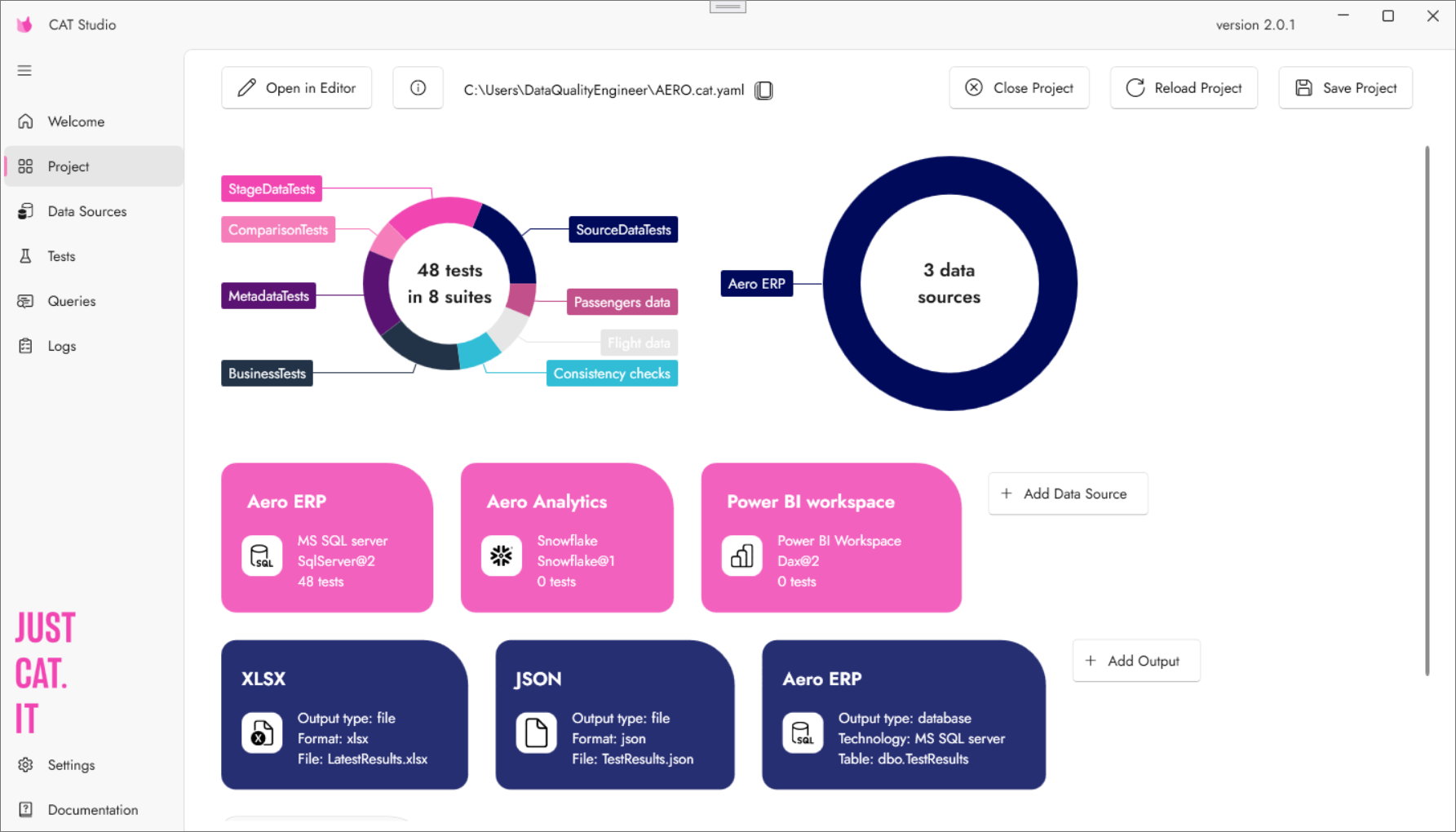
* Create new CAT projects
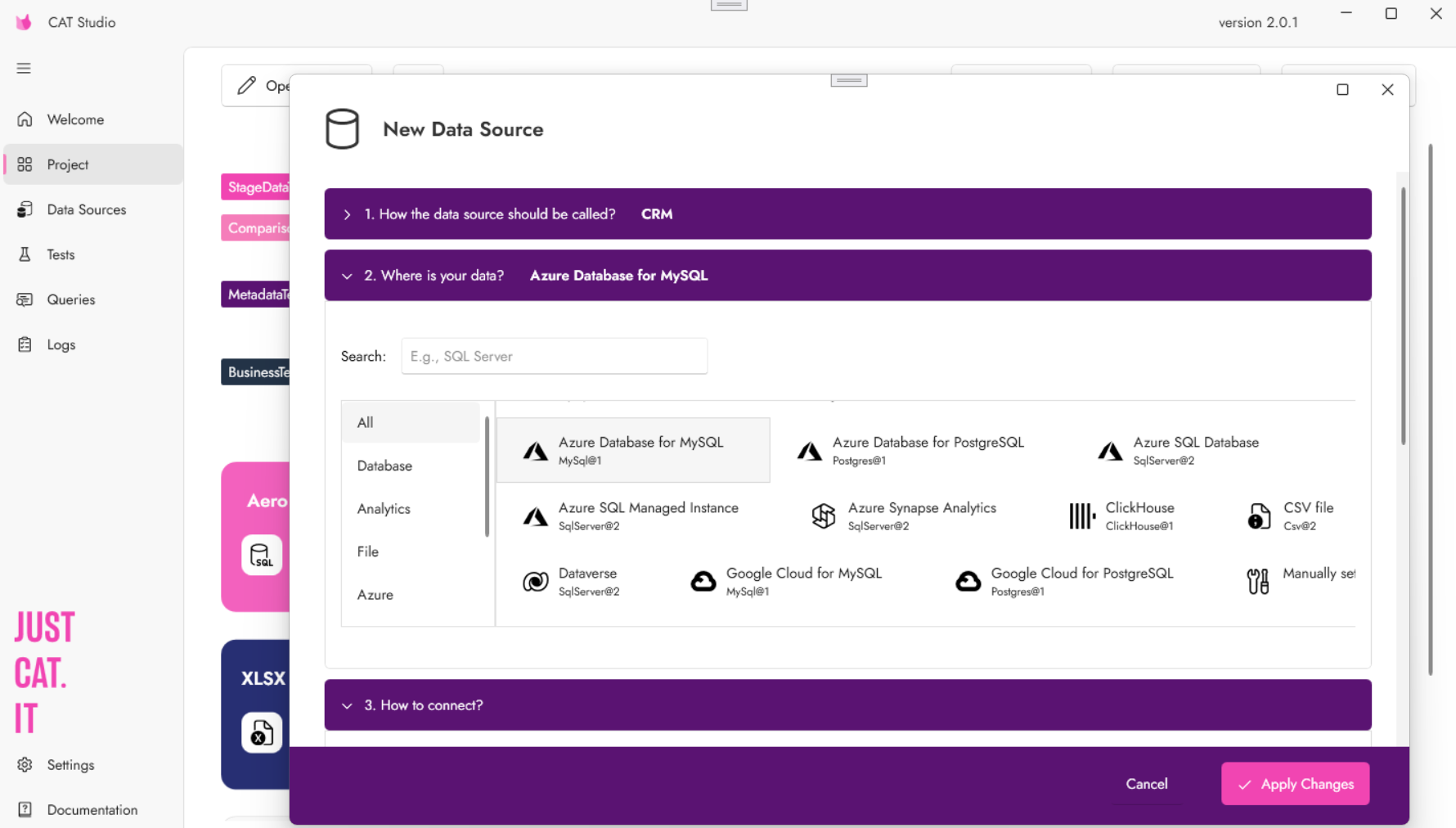
* Setup connections to your data sources using a friendly GUI
* Create, modify, and delete tests directly in the GUI (even when projects are split across multiple files)
* Run test queries against any data source directly from the tests editor
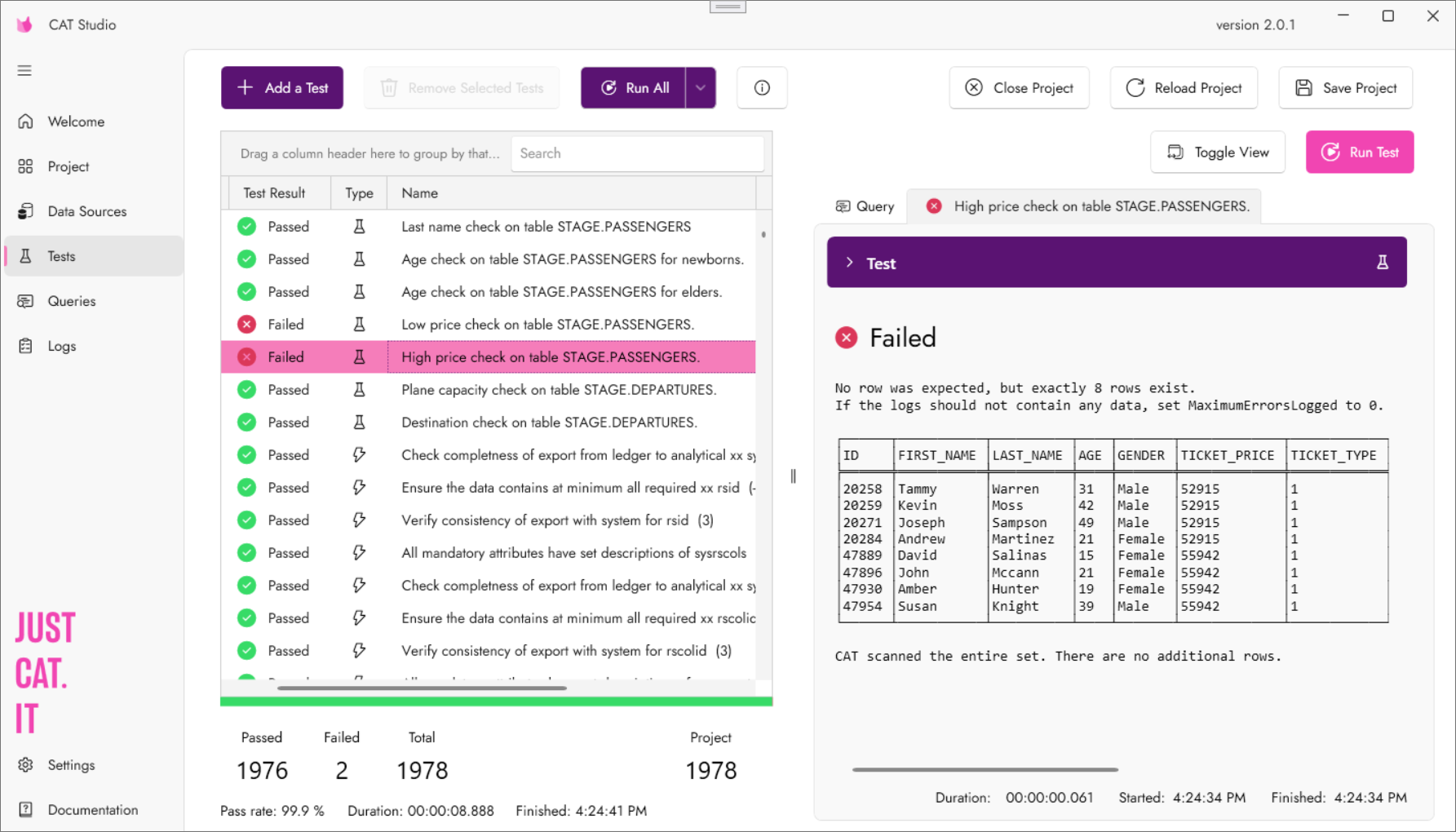
* Run tests and view results
* and much more.
Creating automated tests for data has never been simpler. You now don't need to know YAML configuration or use command-line to run the tests. You don't even need to know what is a connection string. Just focus on testing data - not on anything else. Even junior developers and testers can now create automated data tests without technical barriers.
See a few screenshots before you install :) Click the image to open:
You can install CAT Studio from Microsoft Store (recommended) or from our [Releases](https://docs.justcat.it/releases/ "Releases") page.
CAT Studio is currently in preview and free to use during the preview period.
## Python Integration
CAT integration with Python - `justcatit` package - is avalilable in production Python Package Index:
https://pypi.org/project/justcatit/
Also its documentation and tutorial were updated.
From now on, it will be getting all the updates, the same way as our other tools.
## Why 2.0? How CAT Versioning Works?
CAT follows semantic versioning - so all CAT tools (not only the GUI) have versions such as `2.0.4`. An increase in the first number means a breaking change.
All CAT tools: CAT Studio, CAT PowerShell module, CAT CLI, and CAT Python package are designed to be compatible. You can for instance create a project using CAT Studio and then execute it regularly in PowerShell module in Azure DevOps pipeline.
The first two numbers (`2.0`) indicate the shared core version across all CAT tools. This ensures full compatibility - tests created in CAT Studio `2.0.4` will run perfectly in PowerShell module `2.0.1` or Python package `2.0.5`.
## Breaking Changes
If you don't generate tests from metadata, nothing changes for you.
We renamed `Named Sets` to `Queries`. That is the only breaking change. For backward compatibility, the name `Named Sets` works too. But beware that CAT Studio 2.0 and higher saves them as `Queries`, so if you create or save projects in CAT Studio 2.0+, the metadata generation feature won't work in version `1.x.x`.
## I am Using Version 1.x.x - What do I Do?
We highly recommend two things:
- when you upgrade to 2.0 (or to any new major version in the future) - run your tests at least once to verify everything works
- if you use `Named Sets` in your project file, please rename them to `Queries`.
One tip:
We recommend working with fixed version of CAT in automated processes, such as in CI/CD pipelines. Not only for CAT - this is important for any other PowerShell module or any other tool. Do your upgrades of all on a schedule and have all upgrades under control.
-----------------------------------------
That's it :-). Happy testing!
CAT team